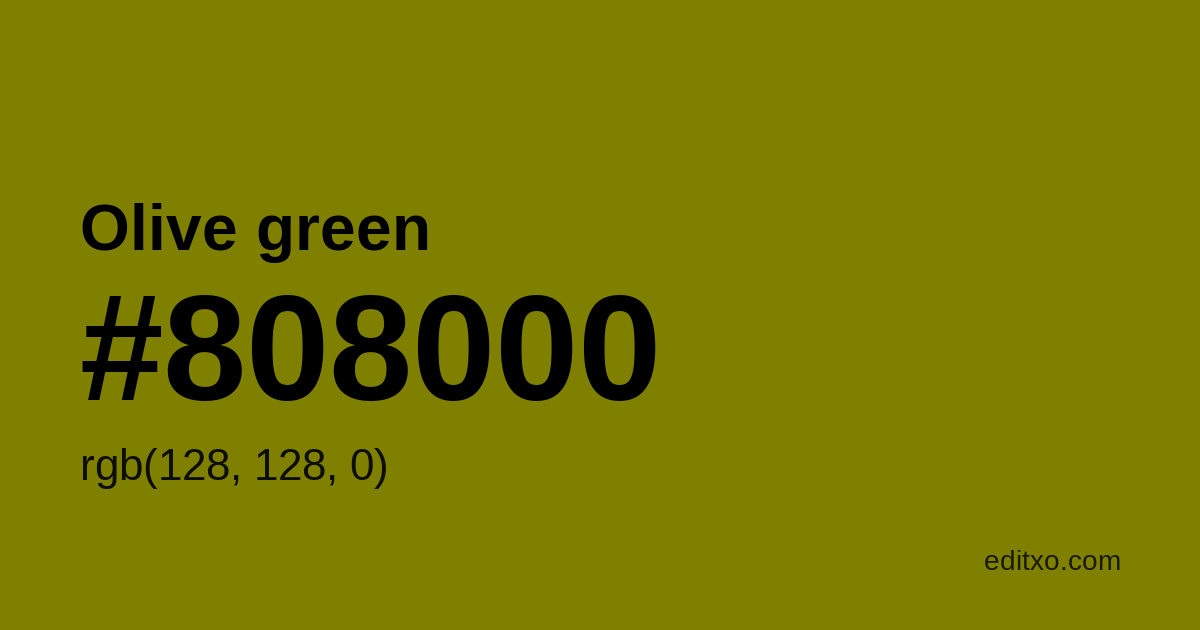
Olive green hex code: #808000, with RGB and color code
The olive green hex code is #808000, which is rgb(128, 128, 0). CSS calls this colour 'olive', so the olive color code and the olive green hex code are the same value.
Reference
Olive green color code in every format
Each value here was calculated by script from #808000, so a row can go straight into a stylesheet or a design file with no manual conversion. A note on the CMYK row: it comes from the basic RGB to CMYK formula, which ignores ink and paper. A print workflow using ICC profiles will produce different percentages, so treat this row as a starting figure.
| Format | Value |
|---|---|
| HEX | #808000 |
| RGB | rgb(128, 128, 0) |
| HSL | hsl(60, 100%, 25%) |
| HSV | 60, 100%, 50% |
| CMYK | 0%, 0%, 100%, 50% (simple conversion) |
In depth
Olive or olive green: what CSS actually calls it
The W3C CSS Color Module defines a named colour called olive, and its value is #808000. There is no CSS name spelled olive green. If you write color: olive in a stylesheet you get exactly this colour, and if you write color: olivegreen the declaration is invalid and the browser ignores it.
That distinction matters because a different CSS name sits right next to it. The named colour olivedrab is #6B8E23, a brighter and slightly bluer green. If a client sends you a swatch and calls it olive green, check the code before assuming it means #808000. Outside CSS, olive green has no single official definition, and other colour lists give different codes for it, so treat #808000 as the standard web answer rather than the only possible one.
Reference
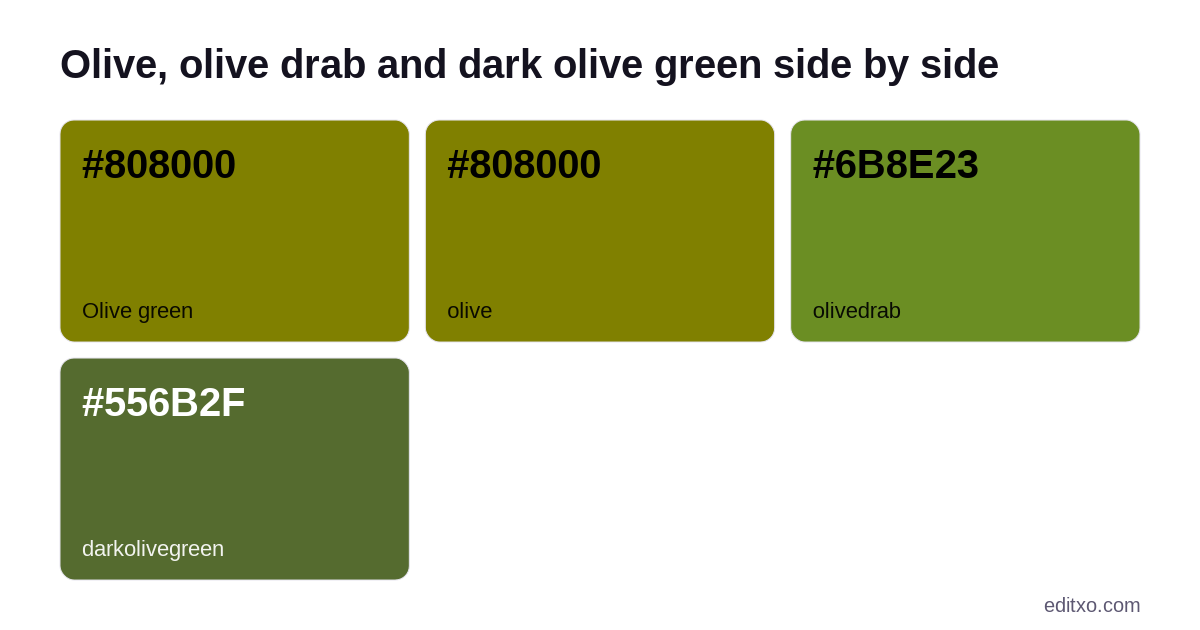
Olive, olive drab and dark olive green side by side
Three CSS names get mixed up when people say olive. The last column is the straight-line distance from olive in RGB, on the 0 to 255 scale.
- olive (#808000) leans yellow. It is the one most people mean.
- olivedrab (#6B8E23) is brighter and greener, 43 steps from olive.
- darkolivegreen (#556B2F) is the darkest. It is the only one of the three that passes 4.5:1 with white text, at 5.95:1.
| CSS name | HEX | RGB | HSL | On white | On black | Distance from olive |
|---|---|---|---|---|---|---|
| olive | #808000 | rgb(128, 128, 0) | hsl(60, 100%, 25%) | 4.20:1 | 5.01:1 | 0 |
| olivedrab | #6B8E23 | rgb(107, 142, 35) | hsl(80, 60%, 35%) | 3.81:1 | 5.52:1 | 43 |
| darkolivegreen | #556B2F | rgb(85, 107, 47) | hsl(82, 39%, 30%) | 5.95:1 | 3.53:1 | 67 |
Checklist
Olive green RGB: why #808000 reads as green and brown at once
The recipe is simple: red and green are equal at 128 and blue is zero. Red and green at equal half strength give a dark yellow, which is why the result looks like a dull, earthy yellow-green instead of a bright one.
- Hue is 60 degrees, exactly halfway between red and green on the colour wheel.
- Saturation is 100%, yet lightness is only 25%, so the colour is pure but dark.
- Blue is set to 0, so the colour has no blue component at all.
- Because it is a dark mid-tone, it is often paired with cream, white and charcoal.
Reference
Eight computed olive variants
The eight codes below come from a fixed recipe applied to #808000, not from a swatch book. Three are tints (olive mixed with 25, 50 and 75 percent white), two are shades (25 and 50 percent black), one is muted with 40 percent mid grey (#808080), and two turn the hue 12 degrees either way. Each label states the method. None of them is an official colour name.
| How it was computed | HEX | RGB | HSL |
|---|---|---|---|
| Tint, 25% white | #A0A040 | rgb(160, 160, 64) | hsl(60, 43%, 44%) |
| Tint, 50% white | #C0C080 | rgb(192, 192, 128) | hsl(60, 34%, 63%) |
| Tint, 75% white | #DFDFBF | rgb(223, 223, 191) | hsl(60, 33%, 81%) |
| Shade, 25% black | #606000 | rgb(96, 96, 0) | hsl(60, 100%, 19%) |
| Shade, 50% black | #404000 | rgb(64, 64, 0) | hsl(60, 100%, 13%) |
| Muted, 40% grey | #808033 | rgb(128, 128, 51) | hsl(60, 43%, 35%) |
| Hue shifted +12 degrees | #668000 | rgb(102, 128, 0) | hsl(72, 100%, 25%) |
| Hue shifted -12 degrees | #806600 | rgb(128, 102, 0) | hsl(48, 100%, 25%) |
Reference
Contrast: is olive readable as text or as a background?
Success Criterion 1.4.3 asks for at least 4.5:1 between normal text and its background, and 3:1 for large text. Success Criterion 1.4.11 asks for 3:1 on the parts of controls and icons that identify them. Both use the relative luminance of the two colours, so the figures below are exact for the listed hex codes.
Olive lands in an awkward spot. Against white it scores 4.20:1, just short of 4.5:1, so white body text on a solid olive button is a near miss. It does clear 3:1, which covers large headings and icon outlines. Against black it scores 5.01:1, so black text on olive passes for normal text. If you want white text on an olive-family background, move to the darker shade in the table below, which reaches 6.62:1.
The two hue-shifted variants are worth noticing. Shifting the hue by +12 degrees gives #668000, which scores 4.51:1 on white and just passes, while the -12 degree version is #806600 at 5.50:1.
| Colour | HEX | On white | White text | On black | Black text |
|---|---|---|---|---|---|
| Olive green (main) | #808000 | 4.20:1 | Passes 3:1 only | 5.01:1 | Passes 4.5:1 |
| Tint, 25% white | #A0A040 | 2.76:1 | Fails 3:1 | 7.60:1 | Passes 4.5:1 |
| Tint, 50% white | #C0C080 | 1.89:1 | Fails 3:1 | 11.09:1 | Passes 4.5:1 |
| Tint, 75% white | #DFDFBF | 1.36:1 | Fails 3:1 | 15.44:1 | Passes 4.5:1 |
| Shade, 25% black | #606000 | 6.62:1 | Passes 4.5:1 | 3.17:1 | Passes 3:1 only |
| Shade, 50% black | #404000 | 10.76:1 | Passes 4.5:1 | 1.95:1 | Fails 3:1 |
| Muted, 40% grey | #808033 | 4.16:1 | Passes 3:1 only | 5.05:1 | Passes 4.5:1 |
| Hue shifted +12 degrees | #668000 | 4.51:1 | Passes 4.5:1 | 4.65:1 | Passes 4.5:1 |
| Hue shifted -12 degrees | #806600 | 5.50:1 | Passes 4.5:1 | 3.82:1 | Passes 3:1 only |
In depth
How much darker does olive need to be for white text?
White text on #808000 scores 4.20:1, a little under the 4.5:1 line. You do not need a big change to fix that.
Mixing in only 5 percent black gives #7A7A00, which scores 4.55:1 with white. We found it by trying 0, 1, 2 and so on until the ratio first passed. The 25 percent shade in the table is much darker than you need if a pass is all you want.
Reference
Colour palettes built from #808000
Each scheme below is a hue rotation in the HSL model with the same saturation and lightness as olive, so every colour in a row has a matching weight. Complementary means opposite on the wheel, analogous means neighbours, triadic means three evenly spaced colours, and split-complementary swaps the single opposite for the two colours either side of it.
| Scheme | How it was computed | HEX | RGB |
|---|---|---|---|
| Complementary | hue +180 degrees | #000080 | rgb(0, 0, 128) |
| Analogous | hue +/-30 degrees | #804000, #408000 | rgb(128, 64, 0); rgb(64, 128, 0) |
| Triadic | hue +120 and +240 degrees | #008080, #800080 | rgb(0, 128, 128); rgb(128, 0, 128) |
| Split-complementary | hue +150 and +210 degrees | #004080, #400080 | rgb(0, 64, 128); rgb(64, 0, 128) |
In depth
Using the palettes in practice
On the HSL wheel, the opposite of olive is #000080, the CSS navy. It is very dark, so it suits a text colour or footer on a light page, with olive as the accent rather than the other way round.
The analogous pair, #804000 and #408000, keeps the scheme earthy. It is the safest option when you want an earthy scheme without strong contrast between the parts. The triadic and split-complementary rows are more colourful, so use them sparingly: one dominant colour, one supporting colour, and the third only for small highlights.
In depth
Where designers reach for olive green
Olive is a muted, low-key colour, and that shapes where it tends to appear. It is often used in outdoor and heritage themes, in natural or organic packaging mock-ups, and in interior and fashion moodboards built on earthy tones. It can also serve as a calm brand colour for a product that wants to look grounded rather than loud.
In interfaces it usually works best as a secondary or surface colour. As a primary button colour it needs care: use a darker shade, or accept that a white label fails the 4.5:1 line, as the contrast figures above show. Off-white or light grey backgrounds with dark text are a safe pairing.
Step by step
Try it now: convert, check and pull olive from a photo
- 1
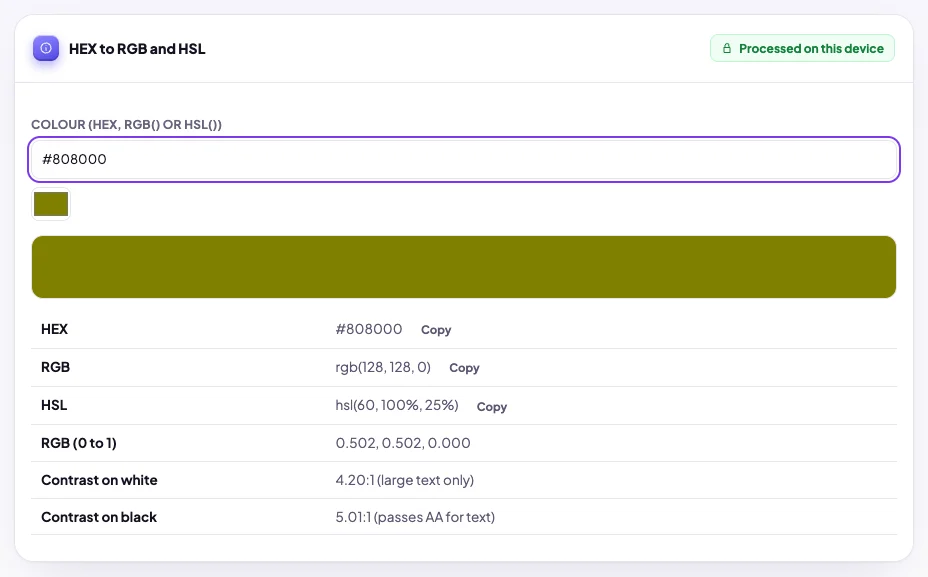
Go to the hex-to-rgb tool and enter #808000 in the HEX box. The page returns the same colour as RGB and HSL and prints its contrast ratio on white and on black. It runs in the browser, so no file or code is sent anywhere.
- 2
Replace the code with #606000, the 25 percent black shade, and compare the white contrast with olive. Then try #668000 to see the hue-shifted variant that just clears 4.5:1. The colour picker lets you nudge a shade by eye.
- 3
Open color-palette-from-image and load a photo of a leaf, a jacket or a room. It extracts dominant colours with a median-cut method, lets you ask for anywhere from 2 to 12 colours, and lets you click a single pixel to take its exact colour. The processing happens on your device.
- 4
Copy the extracted colours as CSS variables, then paste the olive-like ones back into hex-to-rgb to see whether text on them reaches 4.5:1.
- 5
Keep the codes you settle on in a short list with their contrast results, so the same olive is used across the site, the slides and any print files.
In depth
How this guide was made
The CSS names olive and olivedrab and their codes were read in the W3C CSS Color Module Level 4 on 14 November 2026; the same list has no colour called olive green. The code for darkolivegreen was read from the same list on 17 November 2026. The formats, variants, palettes, distances and contrast figures on this page were computed from the hex codes by a script.
The draft was written with AI assistance and then put through an automated check that recalculated each number. We did not reuse figures from other colour pages. If any value looks wrong, the contact page reaches us.
In pictures
See it
What is the olive green hex code?
The standard olive green hex is #808000, which is rgb(128, 128, 0). It is the CSS named colour olive. Olive green is a common alias, not a separate CSS name.
What is the olive color code, and is olive the same as olive green?
The olive color code is #808000. CSS only has olive, so the olive hex code and the olive green one are the same value. Other colour lists may call a different green olive green, so check the code when it matters.
Is olive green the same as olive drab?
No. CSS defines olive as #808000 and olivedrab as #6B8E23, which is a brighter, slightly bluer green. Always check the code when someone asks for either name.
Can I put white text on olive green?
Not for normal-size text. White on #808000 scores 4.20:1, below the 4.5:1 WCAG minimum, though it passes the 3:1 line for large text and icons. A shade with 5 percent black, #7A7A00, reaches 4.55:1.
How do I write olive green in CMYK?
The basic conversion from RGB gives 0%, 0%, 100%, 50%. That is an estimate only. A printer's paper, inks and colour profile change the result, so ask for a proof before a print run.
Which colours go with olive green?
The computed complementary colour is #000080, and the analogous pair is #804000 and #408000. Cream, white and charcoal are frequent partners for a dark, muted green like this one.
Do it yourself
Tools used in this guide
Check the numbers
Sources and further reading
Ready to try it?
Use the free tool or the full photo editor. Everything stays on your device.