Teal hex code: #008080, with RGB, CMYK and color code
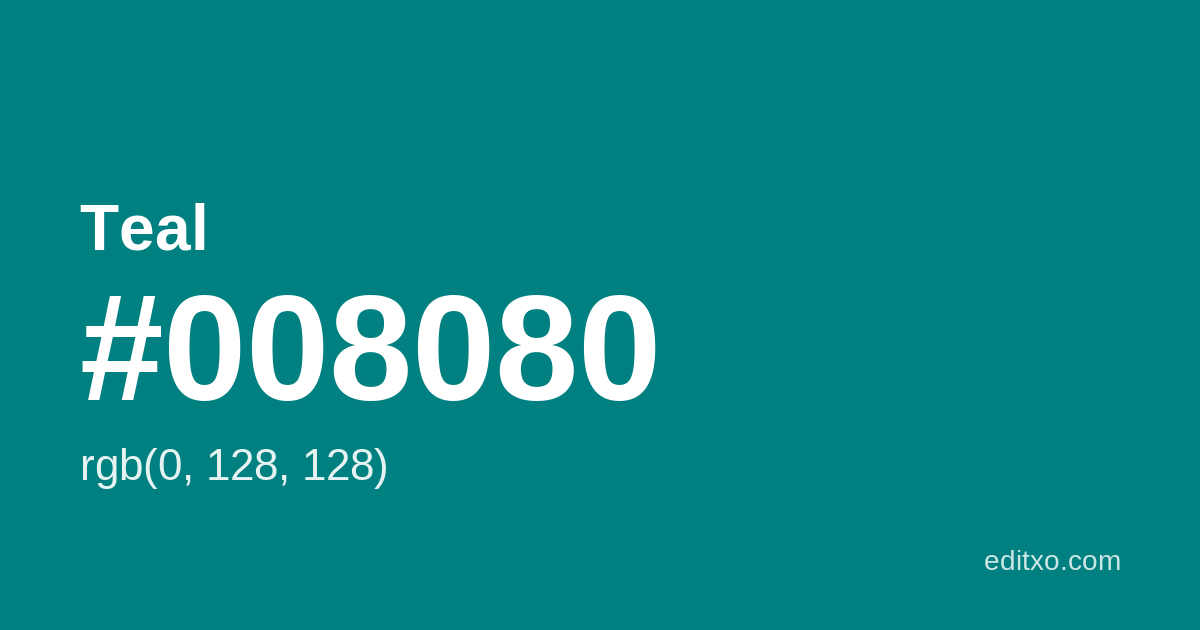
The teal hex code is #008080, which is rgb(0, 128, 128). Teal is a CSS name, so the word and the teal color code mean the same thing. Copy any format below.
Reference
Teal color code in HEX, RGB, HSL, HSV and CMYK
Copy the format your software expects. Each value was generated by code from #008080 rather than typed by hand, so you can mix them in one project without drift.
| Format | Value |
|---|---|
| HEX | #008080 |
| RGB | rgb(0, 128, 128) |
| HSL | hsl(180, 100%, 25%) |
| HSV | 180, 100%, 50% |
| CMYK | 100%, 0%, 0%, 50% (simple conversion) |
In depth
Teal RGB: no red, and green and blue in balance
Teal RGB is 0, 128, 128. Red is off, and green and blue are at the same half strength. That equal mix is why the hue sits at 180 degrees, halfway between green and blue.
Checklist
Teal in CSS: the keyword and the code are the same
Teal is one of the named colours defined in the W3C CSS Color Module, and its value there is #008080. In a stylesheet, color: teal and color: #008080 give an identical result.
The standard only settles the screen keyword. A paint brand, a sports team or a company may call something teal and use a different code. If you must match a specific item, use the code from its own guide.
The numbers explain the look. Red is 0, while green and blue are both 128. With green and blue in perfect balance the hue lands at exactly 180 degrees in HSL, the midpoint between green at 120 and blue at 240.
- Written in CSS as teal, #008080, rgb(0, 128, 128) or hsl(180, 100%, 25%).
- The shorthand #088 is not the same colour: it expands to #008888.
- The tint rows below add white to #008080 when you need a lighter version of the same hue.
Reference
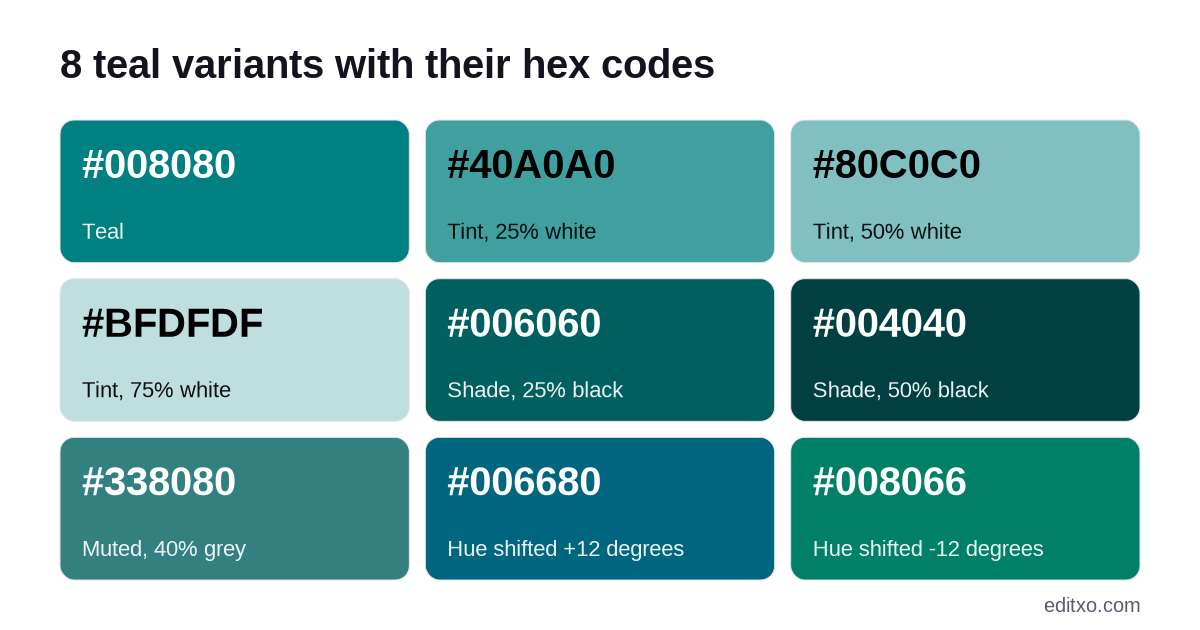
8 teal variants with their hex codes
Starting from #008080, the three tint rows add 25, 50 and 75 percent white, the two shade rows add 25 and 50 percent black, the muted row adds 40 percent mid grey (#808080), and the last two rows turn the hue by 12 degrees. The +12 row reaches hue 192, which leans toward blue, and the -12 row reaches hue 168, which leans toward green. Saturation (100%) and lightness (25%) stay put in those two, and no colour names are invented.
You can see the shift in the channels: #006680 keeps red at 0, lowers green to 102 and leaves blue at 128, while #008066 keeps green at 128 and lowers blue to 102.
| How it was computed | HEX | RGB | HSL |
|---|---|---|---|
| Tint, 25% white | #40A0A0 | rgb(64, 160, 160) | hsl(180, 43%, 44%) |
| Tint, 50% white | #80C0C0 | rgb(128, 192, 192) | hsl(180, 34%, 63%) |
| Tint, 75% white | #BFDFDF | rgb(191, 223, 223) | hsl(180, 33%, 81%) |
| Shade, 25% black | #006060 | rgb(0, 96, 96) | hsl(180, 100%, 19%) |
| Shade, 50% black | #004040 | rgb(0, 64, 64) | hsl(180, 100%, 13%) |
| Muted, 40% grey | #338080 | rgb(51, 128, 128) | hsl(180, 43%, 35%) |
| Hue shifted +12 degrees | #006680 | rgb(0, 102, 128) | hsl(192, 100%, 25%) |
| Hue shifted -12 degrees | #008066 | rgb(0, 128, 102) | hsl(168, 100%, 25%) |
Reference
Teal contrast: a narrow pass with white, a near miss with black
Contrast in WCAG means the ratio of relative luminance between two colours, from 1:1 up to 21:1. Level AA asks for 4.5:1 for normal text and 3:1 for large text and visible control parts. Each row of the table is a background colour, and the columns score white and black lettering set on it.
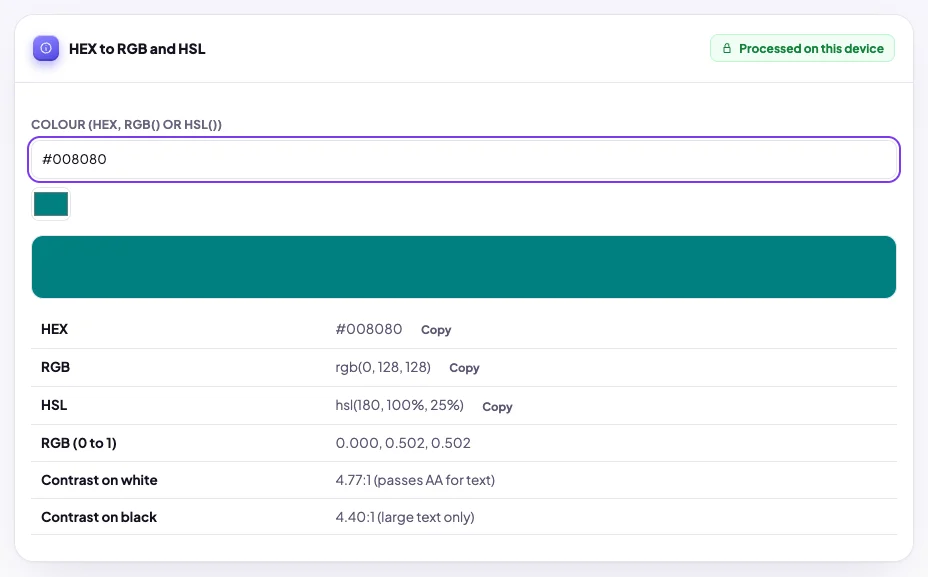
Teal has a mid-range luminance, so both text colours land near the 4.5:1 line. White lettering on #008080 scores 4.77:1, a pass for normal text with little room to spare. Black lettering scores 4.40:1, just under 4.5:1, so it only suits large text and UI parts.
- White lettering on plain teal passes, so a teal button with a white label is acceptable; a lighter tint such as #40A0A0 drops to 3.11:1 with white.
- For a safer margin, use the shade #006060 (7.39:1) or #004040 (11.62:1) behind white text.
- The muted version #338080 gives 4.63:1 with white and 4.54:1 with black, the only row here that clears 4.5:1 both ways.
- Pale tints such as #BFDFDF need dark text (14.84:1 with black) and should not carry white lettering.
| Colour as background | HEX | White text ratio | White text result | Black text ratio | Black text result |
|---|---|---|---|---|---|
| Main colour | #008080 | 4.77:1 | Passes 4.5:1 | 4.40:1 | Large text and UI parts only (3:1) |
| Tint, 25% white | #40A0A0 | 3.11:1 | Large text and UI parts only (3:1) | 6.75:1 | Passes 4.5:1 |
| Tint, 50% white | #80C0C0 | 2.06:1 | Fails 3:1 | 10.22:1 | Passes 4.5:1 |
| Tint, 75% white | #BFDFDF | 1.42:1 | Fails 3:1 | 14.84:1 | Passes 4.5:1 |
| Shade, 25% black | #006060 | 7.39:1 | Passes 4.5:1 | 2.84:1 | Fails 3:1 |
| Shade, 50% black | #004040 | 11.62:1 | Passes 4.5:1 | 1.81:1 | Fails 3:1 |
| Muted, 40% grey | #338080 | 4.63:1 | Passes 4.5:1 | 4.54:1 | Passes 4.5:1 |
| Hue shifted +12 degrees | #006680 | 6.54:1 | Passes 4.5:1 | 3.21:1 | Large text and UI parts only (3:1) |
| Hue shifted -12 degrees | #008066 | 4.91:1 | Passes 4.5:1 | 4.28:1 | Large text and UI parts only (3:1) |
Reference
Colours that go with teal: four computed palettes
Each partner comes from turning the hue of #008080 on the HSL wheel at 100% saturation and 25% lightness. The complementary code #800000 is the dark red CSS calls maroon. The analogous pair #008040 and #004080 sit 30 degrees toward green and toward blue. In the triadic set, #800080 and #808000 match the CSS colours purple and olive. The split-complementary set adds #800040 and #804000. All of these are dark, so lighten one or two with the tint method when you need a background.
| Scheme | Hue rotation from the main colour | Codes |
|---|---|---|
| Complementary | 180 degrees | #800000 |
| Analogous | -30 and +30 degrees | #008040, #004080 |
| Triadic | +120 and +240 degrees | #800080, #808000 |
| Split-complementary | +150 and +210 degrees | #800040, #804000 |
In depth
Ways to use teal (no industry claims)
Teal can serve as a link, button or chart-series colour on a white page. White lettering on #008080 passes at 4.77:1 by a small margin, so test the exact shade you ship, or step down to #006060 (7.39:1) for more room.
We make no claim about which companies or industries use teal. If you are matching a specific item, take its code from the maker and compare it with the variants above.
Some saturated colours can look different in print, so ask for a proof. The CMYK figure here is a simple conversion with no ICC profile and is only a starting point.
In depth
Try it now: check teal and sample it from an image
To check a teal you already use, enter it in the hex-to-rgb tool. #008080 should match the formats table above, and the tool also reports its contrast against white and black. It takes 3 and 6 digit hex, rgb() and hsl() input, offers a colour picker, and does not upload anything. Try a variant such as #006680 to see how a 12 degree hue shift changes the numbers.
To see how close a photo is to teal, open color-palette-from-image, load the picture and pick 2 to 12 colours. The median-cut method returns the dominant swatches, you can click any pixel for an exact value, and you can copy the set as CSS variables. It all runs on your device. Compare each swatch with the variants table: a result near #338080 is a muted teal.
Limits: the tools read your screen, not a printer or paint chart, and a photo of water includes sky and reflections that shift its colours.
In depth
How this guide was made
The teal code was read from the named colours in the W3C CSS Color Module Level 4 on 14 November 2026. A script then worked out the RGB, HSL, HSV and CMYK forms, the eight variants, the button states, the four palettes and the contrast against white and black, following the W3C contrast definition.
The guide was drafted with AI assistance and its numbers were recomputed from the printed hex codes in an automated check. It makes no claims about which industries use teal, because we had no source for them. Tell us through the contact page if you spot a mistake.
In pictures
See it
What is the hex code for teal?
The teal hex code is #008080. It is the CSS named colour teal, equal to rgb(0, 128, 128), so writing teal in CSS gives the same colour. Short searches for teal hex land on this value.
What is the teal color code?
The teal color code is #008080. Some people call it the teal color hex. It is the same colour as the CSS word teal.
What is the RGB value of teal?
The teal rgb code is rgb(0, 128, 128). In HSL it is hsl(180, 100%, 25%), and in HSV it is 180, 100%, 50%.
What is the CMYK value of teal?
A simple conversion of #008080 gives 100% cyan, 0% magenta, 0% yellow and 50% black. Printers using ICC profiles will produce different results, so treat these numbers as a starting estimate.
Does white text work on teal?
Yes, narrowly. White on #008080 has a contrast ratio of 4.77:1, just above the WCAG 4.5:1 minimum for normal text. Black text on teal scores 4.40:1, which only suits large text and interface parts.
How do I make teal lighter or darker?
Mix it with white for a lighter tint or with black for a darker shade. For example, a 25% black shade is #006060 and a 50% white tint is #80C0C0, both computed on this page. The button table above also has 20% and 40% black shades.
Do it yourself
Tools used in this guide
Check the numbers
Sources and further reading
Ready to try it?
Use the free tool or the full photo editor. Everything stays on your device.